
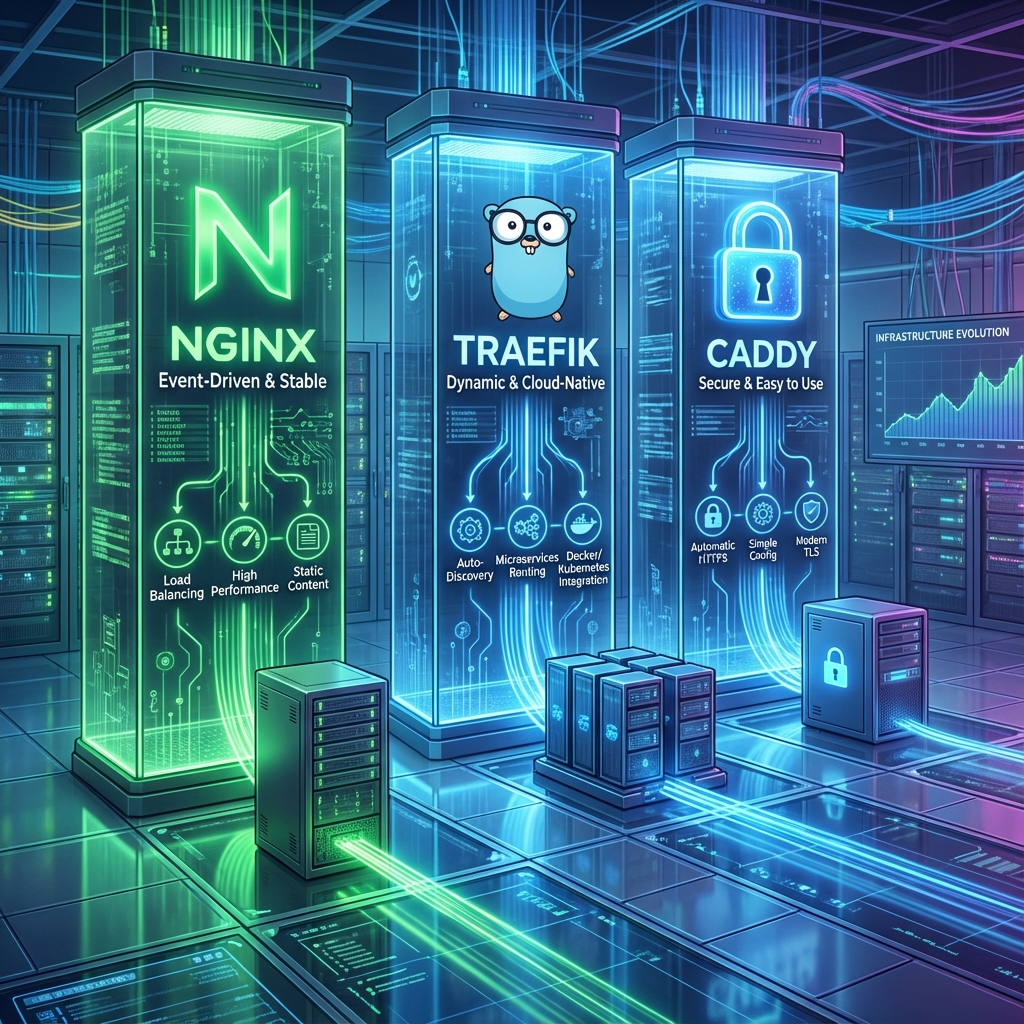
Choosing the right Reverse Proxy is one of the first and most important decisions when building a Homelab or setting up a production infrastructure. It is the gateway to your services, responsible for routing, SSL termination, and security.
For years, Nginx has been the undisputed king. But recently, “Cloud Native” options like Traefik and modern simplifiers like Caddy have gained massive popularity.
In this post, we will compare these three giants to help you decide which one is best for your use case.
1. Nginx: The Robust Veteran
Nginx (pronounced “engine-x”) is the most popular web server in the world. It is battle-tested, extremely performant, and flexible.
✅ Pros
- Performance: Unbeatable for serving static content and handling high concurrency.
- Flexibility: Can do almost anything (Load Balancing, Caching, WAF, Mail Proxy).
- Documentation: Infinite tutorials and community support.
❌ Cons
- Configuration:
nginx.confcan be verbose and complex. - SSL Certificates: Does not handle Let’s Encrypt automatically out-of-the-box (requires Certbot).
- Static Configuration: Changes usually require a reload/restart.
Best for: Production environments where performance is critical, or when you need advanced features like caching and complex rewriting rules.
2. Traefik: The Cloud-Native Hero
Traefik was born in the container era. It is designed to work dynamically with Docker, Kubernetes, and other orchestrators.
✅ Pros
- Dynamic Discovery: Automatically detects new Docker containers and creates routes for them. No restart needed!
- Dashboard: Comes with a beautiful built-in dashboard to visualize routes.
- Middlewares: Powerful concept to chain features like Basic Auth, Rate Limiting, and Headers.
- Native Let’s Encrypt: Handles HTTPS automatically.
❌ Cons
- Learning Curve: The concept of “Routers”, “Services”, and “Middlewares” can be confusing at first.
- Performance: Slightly slower than Nginx (written in Go vs C), though negligible for most homelabs.
Best for: Docker and Kubernetes environments. If you spin up containers frequently, Traefik is a no-brainer.
3. Caddy: The Modern Simplifier
Caddy is the web server that aims to be the easiest to use. Its motto is “HTTPS by default”.
✅ Pros
- Simplicity: The
Caddyfileis incredibly readable and concise. A 50-line Nginx config can often be done in 3 lines in Caddy. - HTTPS by Default: It was the first to automatically obtain and renew certificates without any configuration.
- Memory Safe: Written in Go, offering memory safety guarantees.
❌ Cons
- Magic: Sometimes it does so much automatically that it can be hard to debug when things go wrong.
- Ecosystem: Smaller community and plugin ecosystem compared to Nginx.
Best for: Quick setups, simple sites, and users who want “it just works” HTTPS without headaches.
Comparison Summary
| Feature | Nginx | Traefik | Caddy |
|---|---|---|---|
| Configuration | Verbose (Conf) | YAML / Labels | Concise (Caddyfile) |
| SSL (Let’s Encrypt) | Manual (Certbot) | Automatic | Automatic (Default) |
| Docker Integration | Manual (or via proxy-gen) | Excellent (Native) | Good (via Module) |
| Observability | Good (Logs/Stub Status) | Excellent (Metrics/Tracing) | Good (Built-in) |
| Extensibility | Hard (C Modules/Lua) | Medium (Go Plugins) | Easy (Go Modules) |
| Performance | 🚀 Highest | High | High |
| Learning Curve | Medium/High | Medium | Low |
Verdict: Which one should you choose?
- Choose Nginx if: You need raw performance, advanced caching, or are working in a traditional non-containerized environment.
- Choose Traefik if: You run a Production environment with Docker or Kubernetes. The auto-discovery feature is a game-changer for dynamic microservices architectures.
- Choose Caddy if: You want the simplest setup possible. It is perfect for personal sites, simple proxies, and getting HTTPS up and running in seconds.
In my personal Homelab, although I have experimented with all of them, I currently use Nginx configured as an API Gateway.
Why? Because my core infrastructure runs on Kubernetes, and by adopting the Gateway API pattern, I actually don’t need a traditional Ingress Controller anymore. The API Gateway handles routing, authentication, and complex traffic management in a much more flexible way than the standard Ingress resource.
Speaking of which, is the API Gateway pattern the successor to the traditional Ingress? That is a topic for our next post!
Check out my latest video where I talk about another major migration in my Homelab:
There is no wrong choice, only the right tool for the job!
Comments